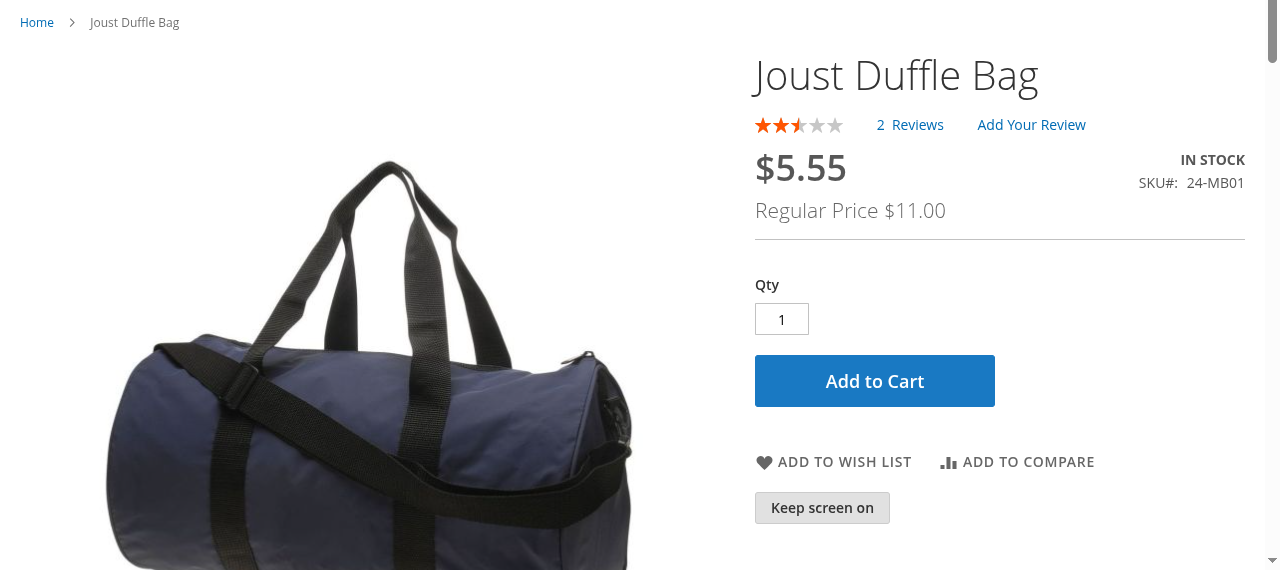
Recipe sites call it cook mode: a button that keeps the phone from going dark while both hands are busy. This module brings the same thing to Magento 2 product and CMS pages, so a customer following assembly steps, a care routine or a fitting guide taps "Keep screen on" once and reads on with the screen awake, until they tap it again or leave the page. It is the lead feature for any product whose page gets read with the phone lying on the floor, and it adds nothing else to the page.
Typical impact: one button on the products that need it, no change to the page content, and a screen that stays on through a whole assembly or recipe instead of dimming after 30 seconds.
Who it is for
- Furniture, DIY and hardware stores whose product pages carry assembly or installation steps that customers follow with tools in their hands.
- Kitchenware and grocery stores with recipes on the product page: the classic cook mode case.
- Beauty, fitness and craft stores with routines and patterns that are followed step by step, sometimes for twenty minutes or more.
- B2B spare-parts shops where fitting guides and torque tables get read in a workshop.
Who should skip it
- Stores whose product pages are read, not followed: fashion, electronics without setup steps, most gift shops. A button nobody needs is clutter.
- Hyvä storefronts. The frontend is a RequireJS component for Luma-based themes; Hyvä needs a small compatibility template that is not included.
- Stores that want a separate step-by-step view with larger text. This module only keeps the screen on; the page stays as it is.
How the Magento keep screen on button works
The button uses the browser’s Screen Wake Lock API, supported by Chrome and Edge 84+, Safari 16.4+ (iPhone and iPad included) and Firefox 126+. Browsers without it never see the button, because it starts hidden and only appears where the API exists.
The detail most implementations miss: the browser drops the lock whenever the page is hidden, for example when the customer switches to the timer app. This module requests it again as soon as the page is visible, so the screen does not go dark two minutes after the first switch.
The merchant decides where the button appears:
- Per product: the product attribute Show ‘Keep Screen On’ Button in the product’s Content section, store-view scoped. Products without instructions get no button.
- On CMS pages: the Keep Screen On Button widget, for guide and care pages that are not products.
- Per store view: one master switch under Stores > Configuration > Catalog > Catalog > Keep Screen On Button.

Before and after
Before
- The phone dims after 30 seconds to two minutes while the customer holds a part in each hand.
- Every wake-up means wiping a finger and unlocking, then finding the step again.
- Customers take a screenshot of the instructions instead of staying on the product page.
After
- One tap on "Keep screen on", and the screen stays on while the page is open.
- Switching to the timer or the camera and back keeps the setting.
- The button appears only on the products where it helps, and nothing else on the page changes.
Installation
composer require brocode/module-screen-awake
bin/magento module:enable BroCode_ScreenAwake
bin/magento setup:upgrade
bin/magento setup:di:compile
bin/magento cache:flush
In production mode, also deploy the frontend static content as usual. The installation adds one product attribute, created through brocode/module-entityservices, which Composer installs automatically; bin/magento module:uninstall BroCode_ScreenAwake removes the attribute again.
Compatibility
- PHP 8.1, 8.2, 8.3, 8.4
- Magento 2.4 Open Source; tested on 2.4.8-p5 with Luma, installed from Packagist
- Luma-based themes; not Hyvä
- The storefront has to run on HTTPS, and a
Permissions-Policyheader must not containscreen-wake-lock=()
FAQ
Does the Magento keep screen on button work on iPhone?
Yes. Safari supports the Screen Wake Lock API from iOS 16.4, so the button works on current iPhones and iPads, as well as in Chrome and Edge on Android and desktop and in Firefox 126+.
Does it drain the battery?
Only while the customer has it switched on, and only while the page is open. The lock ends when the customer taps the button again, leaves the page or locks the phone, so it never outlives the task.
Why does the screen still dim after switching apps on other sites?
Browsers release the wake lock whenever a page is hidden. Many implementations never request it again. This module does, as soon as the page is visible again.
Can I show the button only on some products?
Yes. The button appears only on products whose Show ‘Keep Screen On’ Button attribute is set to Yes, per store view. The master switch in the configuration turns it off everywhere.
Can I measure how often customers use it?
Yes. Every change fires a screenawake:change browser event with on: true or false, which a tag manager can forward to GA4. The module itself sends no data anywhere.
Related reading
- Screen Wake Lock API: A Keep-Screen-On Button for Shops: the article behind the module, with the tab-switch trap, the tradeoffs and the verification steps.
- Magento 2 Social Share Module: the other small browser capability for product pages, one Share button that opens the phone’s own share sheet.
- Screen Wake Lock API on MDN: the browser API and its rules.