lead
Writing a Magento 2 GraphQL resolver is a twenty-minute job. Every tutorial shows the same thing: implement ResolverInterface, return an array, add a schema.graphqls, done. That tutorial is accurate and it is also how stores end up with an API endpoint that issues four hundred SQL queries to render thirty products, saturates the PHP-FPM pool, and returns 502s under a load that REST handled comfortably.
The reason is structural, not sloppy. GraphQL resolves depth-first, one field at a time, and a resolver has no idea it is the twenty-ninth sibling in a list. Nothing in the interface hints at it, and nothing fails in development where the fixture catalog has four products. Three things separate Magento 2 GraphQL resolvers that work in development from ones that survive production traffic: batching, cache identities, and a hard ceiling on what a client is allowed to ask for.
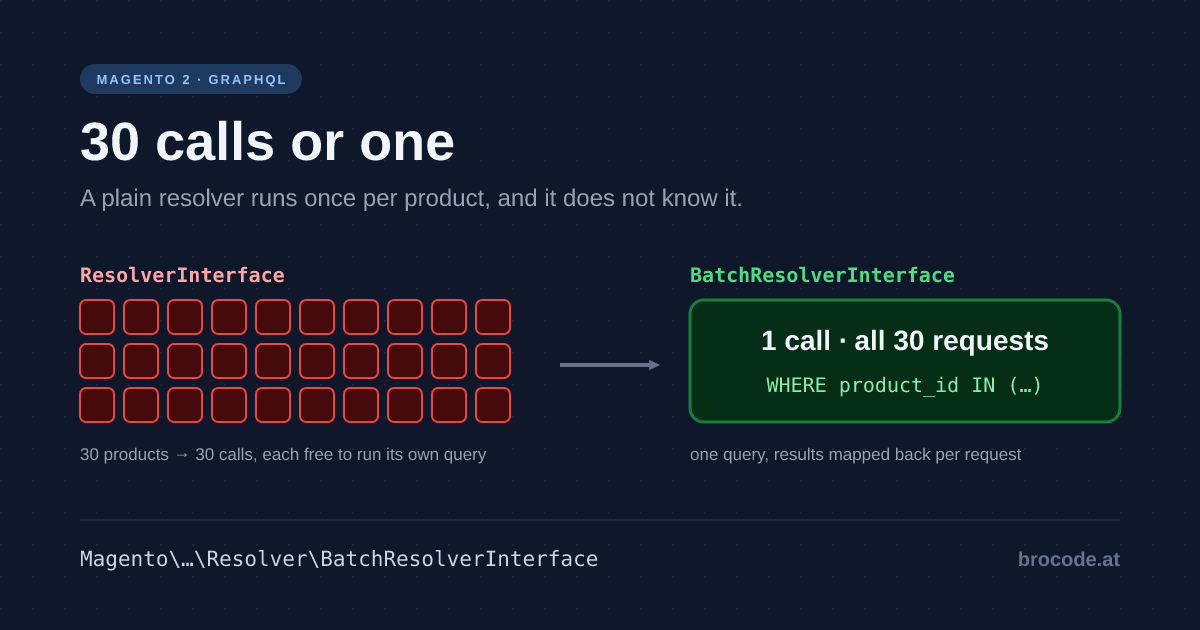
The single most useful sentence about Magento’s GraphQL layer: a plain ResolverInterface is called once per parent object, and it does not know that. Thirty products in a list, each resolving a nested field, means thirty independent resolver invocations, each free to run its own query. The fix is BatchResolverInterface, which Magento hands all thirty requests at once. Everything else in this article is downstream of that one fact.
baseline: what the two resolver interfaces actually promise
Magento ships two. They look similar and behave completely differently at scale.
Magento\Framework\GraphQl\Query\ResolverInterface is the one every tutorial uses:
public function resolve(
    Field $field,
    $context,
    ResolveInfo $info,
    ?array $value = null,
    ?array $args = null
);
One call, one parent, one return value. $value is the already-resolved parent — for a nested field, that is the individual product. If the query asked for thirty products and each has a custom_stock_note field backed by your resolver, this method runs thirty times, and each run sees exactly one product with no way to know about the other twenty-nine.
Magento\Framework\GraphQl\Query\Resolver\BatchResolverInterface is the one that scales:
/**
 * @param BatchRequestItemInterface[] $requests Requests to the field.
 * @return BatchResponse Aggregated response.
 */
public function resolve(ContextInterface $context, Field $field, array $requests): BatchResponse;
Same field, one call, all thirty requests handed to you as an array. You issue one query with WHERE product_id IN (...), then map results back in the BatchResponse.
Both are marked @api, so both are stable contracts you can build on.
Why the naive version is worse than it looks
The failure is multiplicative, not additive. A query like this:
products(pageSize: 30) {
  items {
    sku
    custom_stock_note        # your resolver, 30 calls
    related_products {       # 30 calls
      sku
      custom_stock_note      # 30 × N related, again
    }
  }
}
Each level multiplies. Published measurements put a thirty-product query at several hundred SQL statements on stock Magento, before anything of your own. And because PHP-FPM workers stay occupied for the duration, a few concurrent deep queries exhaust the pool: the failure presents as site-wide 502s rather than a slow endpoint, so the symptom appears nowhere near the cause — the pattern this blog keeps running into.
This is not a Magento defect so much as a property of GraphQL that Magento does not protect you from by default. REST does not have the problem because the endpoint author decided the shape of the response; in GraphQL the client decides, and the client is not thinking about your database.
working_example: turning a naive resolver into a batched one
The naive version, which is what almost every custom resolver in the wild looks like:
<?php
declare(strict_types=1);

namespace MyCompany\StockNote\Model\Resolver;

use Magento\Framework\GraphQl\Config\Element\Field;
use Magento\Framework\GraphQl\Query\ResolverInterface;
use Magento\Framework\GraphQl\Schema\Type\ResolveInfo;

class StockNote implements ResolverInterface
{
    /**
     * @var \MyCompany\StockNote\Api\StockNoteRepositoryInterface
     */
    private $repository;

    public function __construct(\MyCompany\StockNote\Api\StockNoteRepositoryInterface $repository)
    {
        $this->repository = $repository;
    }

    public function resolve(Field $field, $context, ResolveInfo $info, ?array $value = null, ?array $args = null)
    {
        // One query. Per product. Every time.
        return $this->repository->getNoteForProduct((int)$value['entity_id']);
    }
}
The batched version does the same work, once:
<?php
declare(strict_types=1);

namespace MyCompany\StockNote\Model\Resolver;

use Magento\Framework\GraphQl\Config\Element\Field;
use Magento\Framework\GraphQl\Query\Resolver\BatchResolverInterface;
use Magento\Framework\GraphQl\Query\Resolver\BatchResponse;
use Magento\Framework\GraphQl\Query\Resolver\ContextInterface;

class StockNote implements BatchResolverInterface
{
    /**
     * @var \MyCompany\StockNote\Api\StockNoteRepositoryInterface
     */
    private $repository;

    /**
     * @var \Magento\Framework\GraphQl\Query\Resolver\BatchResponseFactory
     */
    private $responseFactory;

    public function __construct(
        \MyCompany\StockNote\Api\StockNoteRepositoryInterface $repository,
        \Magento\Framework\GraphQl\Query\Resolver\BatchResponseFactory $responseFactory
    ) {
        $this->repository = $repository;
        $this->responseFactory = $responseFactory;
    }

    public function resolve(ContextInterface $context, Field $field, array $requests): BatchResponse
    {
        $productIds = [];
        foreach ($requests as $request) {
            $productIds[] = (int)$request->getValue()['entity_id'];
        }

        // One query for the whole page.
        $notesByProductId = $this->repository->getNotesForProducts($productIds);

        $response = $this->responseFactory->create();
        foreach ($requests as $request) {
            $id = (int)$request->getValue()['entity_id'];
            $response->addResponse($request, $notesByProductId[$id] ?? null);
        }

        return $response;
    }
}
Three differences worth naming. The repository grew a plural method — batching is a repository concern as much as a resolver one, and a repository offering only getById() forces every caller into N+1. Every request gets an entry in the response, misses included, since a request without one is a null the client cannot tell from an error. And the resolver does no domain work: collect ids, delegate, map back — the usual layering rule.
Wiring is unchanged. schema.graphqls points at the class and the container resolves whichever interface it implements:
type ProductInterface {
    custom_stock_note: String @resolver(class: "MyCompany\\StockNote\\Model\\Resolver\\StockNote")
}
How Magento actually does the batching
Handing your resolver all thirty requests at once sounds like it needs a scheduler. It does not, and the mechanism is worth understanding because it explains both why batching works and the one way people accidentally defeat it.
Magento never calls your BatchResolverInterface directly. It wraps it in Magento\Framework\GraphQl\Query\BatchResolverWrapper, which implements the ordinary ResolverInterface — so as far as graphql-php is concerned, nothing unusual is happening. The wrapper does three things:
public function resolve(Field $field, $context, ResolveInfo $info, ?array $value = null, ?array $args = null)
{
    if ($this->response) {
        $this->clearAggregated();
    }

    $item = new ResolveRequest($field, $context, $info, $value, $args);
    $this->request[] = $item;          // 1. accumulate, execute nothing
    $this->context = $context;
    $this->field = $field;

    return $this->valueFactory->create( // 2. hand back a deferred value
        function () use ($item) {
            return $this->findResolvedFor($item);
        }
    );
}
It accumulates. Each of the thirty invocations appends a ResolveRequest to an array and returns immediately. No query runs.
It defers. What comes back is a lazy Value, not data. graphql-php collects all thirty thunks for that level before reading any — the window the whole design depends on.
It flushes once. When the first thunk is finally read, this runs:
if (!$this->response) {
    $this->response = $this->resolver->resolve($this->context, $this->field, $this->request);
}

return $this->response->findResponseFor($item);
$this->request is now the full array. Your resolver is called one time with all thirty. Every subsequent thunk finds its answer in the already-computed BatchResponse by identity. Anyone who has used DataLoader will recognise it exactly: accumulate, defer, flush on first read.
Two consequences that matter in practice.
This is why a BatchResolverInterface that loops internally is useless. The framework has done its half perfectly and handed you thirty requests in one call; if the body then calls getById() thirty times, you have moved the N+1 down a level rather than removing it. The wrapper cannot help with that, and nothing will warn you.
_resetState() exists for a reason. The wrapper implements ResetAfterRequestInterface because it holds request state on a container-reused object. On a queue consumer or application server, stale accumulation between requests would be a correctness bug.
Core uses this in exactly the places you would expect: Magento\CatalogGraphQl\Model\Resolver\Product\BatchProductLinks and Magento\RelatedProductGraphQl\Model\Resolver\Batch\AbstractLikedProducts — related, upsell and crosssell products, which are the classic per-item lookups on a product list.
There is also a higher-level variant, BatchServiceContractResolverInterface, for the common case where the batch is really just a call to an existing service contract. Instead of writing the loop, you declare the contract and the two conversions:
public function getServiceContract(): array;                       // [ClassName::class, 'methodName']
public function convertToServiceArgument(ResolveRequestInterface $request);
public function convertFromServiceResult($result, ResolveRequestInterface $request);
Magento gathers the arguments, makes one service call, maps results back. If your data already sits behind a repository with a plural method — and it should — this is less code than the plain batch interface and harder to get wrong.
Cache identities: the half that gets skipped
A batched resolver that recomputes on every request is still expensive. Magento’s GraphQL layer has full-page-cache support, but it is opt-in per resolver and silent when absent — your field simply never caches and nobody notices until traffic arrives.
The mechanism is Magento\Framework\GraphQl\Query\Resolver\IdentityInterface:
interface IdentityInterface
{
    /**
     * @param array $resolvedData
     * @return string[]
     */
    public function getIdentities(array $resolvedData): array;
}
You return the cache tags that this resolved data depends on, and Magento invalidates the cached response when any of those tags is cleaned. If your field derives from products, the identity is the product tags; if it derives from a custom entity, it is that entity’s tags — which means your entity needs to emit tags at all, via getIdentities() on the model.
The failure mode when it is missing is one people misdiagnose for weeks: the field is cached at the page level by something upstream and never invalidated, so an admin changes a value and the storefront keeps serving the old one until a full cache flush. Any bug whose workaround is "flush the cache" has a root cause in cache tags — the same rule that applies to blocks applies here.
Two failure modes. Too broad a tag — the whole product tag for a field depending on one custom row — is safe but wastes most of the benefit, since unrelated saves evict your data. Too narrow is a correctness bug. Start broad, narrow once you can prove what changes the value.
tradeoff: GraphQL is not a better REST, it is a different set of problems
Both APIs are first-class in Magento and the honest answer to "which should we use" is that they fail differently.
GraphQL earns its complexity when the client is a storefront you control and round-trips are the bottleneck — a PDP needing four REST calls becomes one query, which a mobile client on a bad connection feels immediately. It is also the only sensible surface for a Hyvä, React or PWA frontend.
REST stays better for integrations, and this is the part GraphQL advocacy tends to skip. An ERP or a middleware platform wants a stable, versionable contract with predictable response shapes and a schema someone can hand to a partner. searchCriteria is verbose but it is thoroughly documented and completely predictable, the bulk endpoints exist for volume, and content negotiation means you can get XML out of it without writing anything. GraphQL has no bulk story, no native versioning story, and its errors arrive as HTTP 200 with an errors array — which breaks approximately every off-the-shelf integration tool’s error handling.
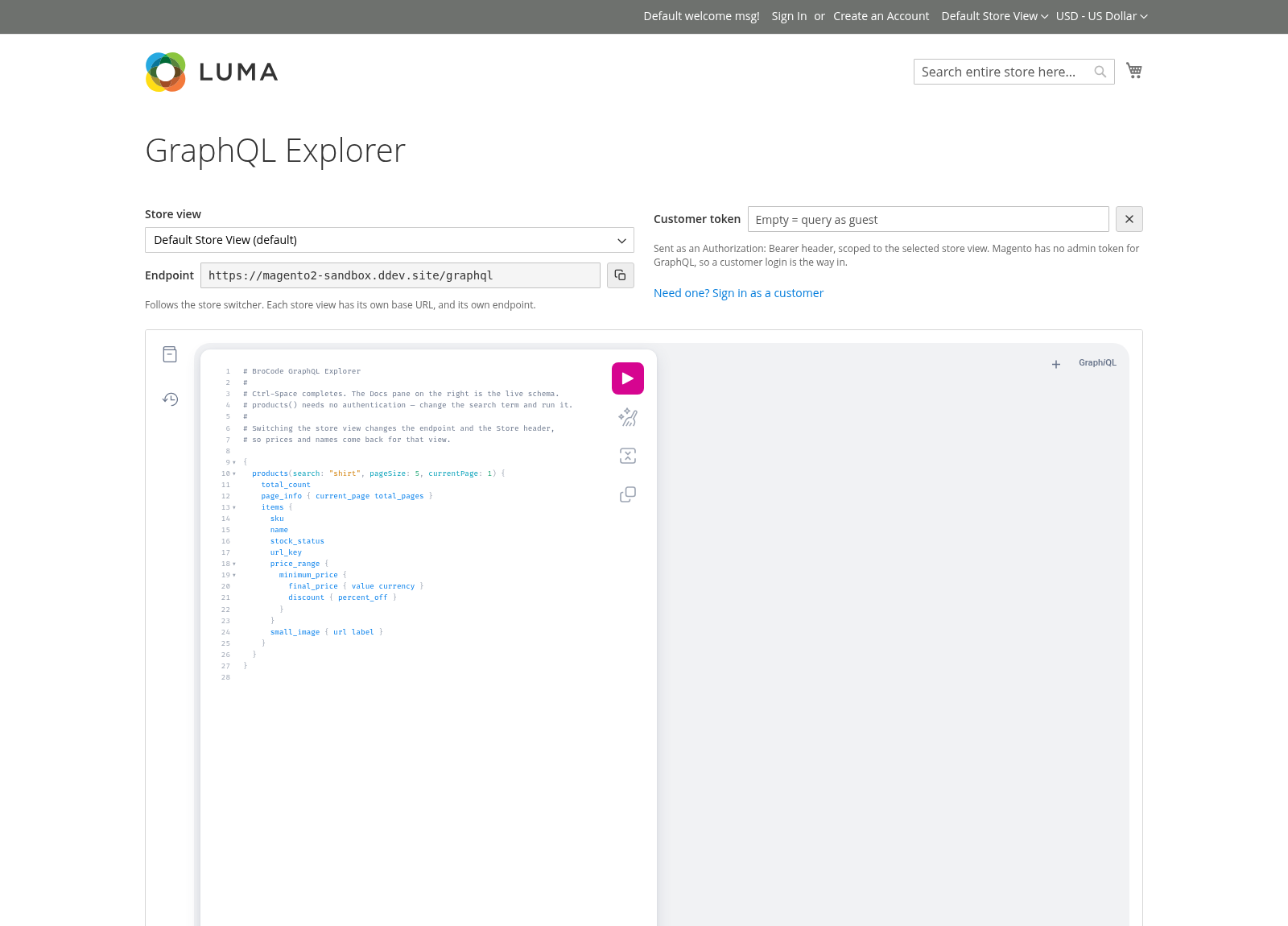
REST gets a browsable endpoint for free — /swagger ships with Magento. GraphQL’s has to be added.
The costs GraphQL adds that REST does not have:
- The client controls the query cost. A REST endpoint’s worst case is bounded by its author. A GraphQL endpoint’s worst case is bounded by whoever writes the query, including someone hostile. This needs a hard limit, not good intentions.
- Caching is per-resolver and opt-in. REST responses cache at the HTTP layer with one header. GraphQL caching is something you implement field by field.
- Observability is worse. Every request is
POST /graphql, so a URL-based APM breakdown tells you nothing. You need query-name tagging before you can answer "which query is slow", and retrofitting that during an incident is not possible.
Mixed estates are normal and supported. GraphQL for the storefront and REST for integrations is not fence-sitting; it is the right shape for most stores.
Protecting the endpoint from its own clients
Because the client decides the query, the server needs a ceiling. Magento ships one, and the defaults are permissive enough that a nested query can still hurt you. Note where it lives: these are DI arguments, not store config — there is no graphql/validation/maximum_query_depth path to config:set, and looking for one is a common dead end.
<!-- vendor/magento/module-graph-ql/etc/di.xml — the shipped defaults -->
<type name="Magento\Framework\GraphQl\Query\QueryComplexityLimiter">
    <arguments>
        <argument name="queryDepth" xsi:type="number">20</argument>
        <argument name="queryComplexity" xsi:type="number">1000</argument>
    </arguments>
</type>
Override them in your own module’s di.xml with the same <type> block and tighter numbers. What is store config, under graphql/validation, is a different set of guards — alias_limit_enabled, maximum_alias_allowed, query_length_limit_enabled and query_length_limit_allowed — worth checking at the same time:
bin/magento config:show graphql/validation/maximum_alias_allowed
bin/magento config:show graphql/validation/query_length_limit_allowed
Set the depth and complexity numbers from a real query log, not a guess: take the deepest query your storefront actually issues, add headroom, reject beyond that. A rejected query returns a clear validation error; an accepted one that exhausts the pool returns 502 to everybody. Because they are DI arguments, changing them needs setup:di:compile in production, not just a cache flush.
Introspection is the other exposure: useful in development, and it publishes your whole schema — custom fields naming internal concepts included — to anyone who asks. Disable it in production unless a partner needs it, and if one does, that is an argument for REST.
verification: proving a resolver is actually batched
The only check that matters is query count, and it is easy to get.
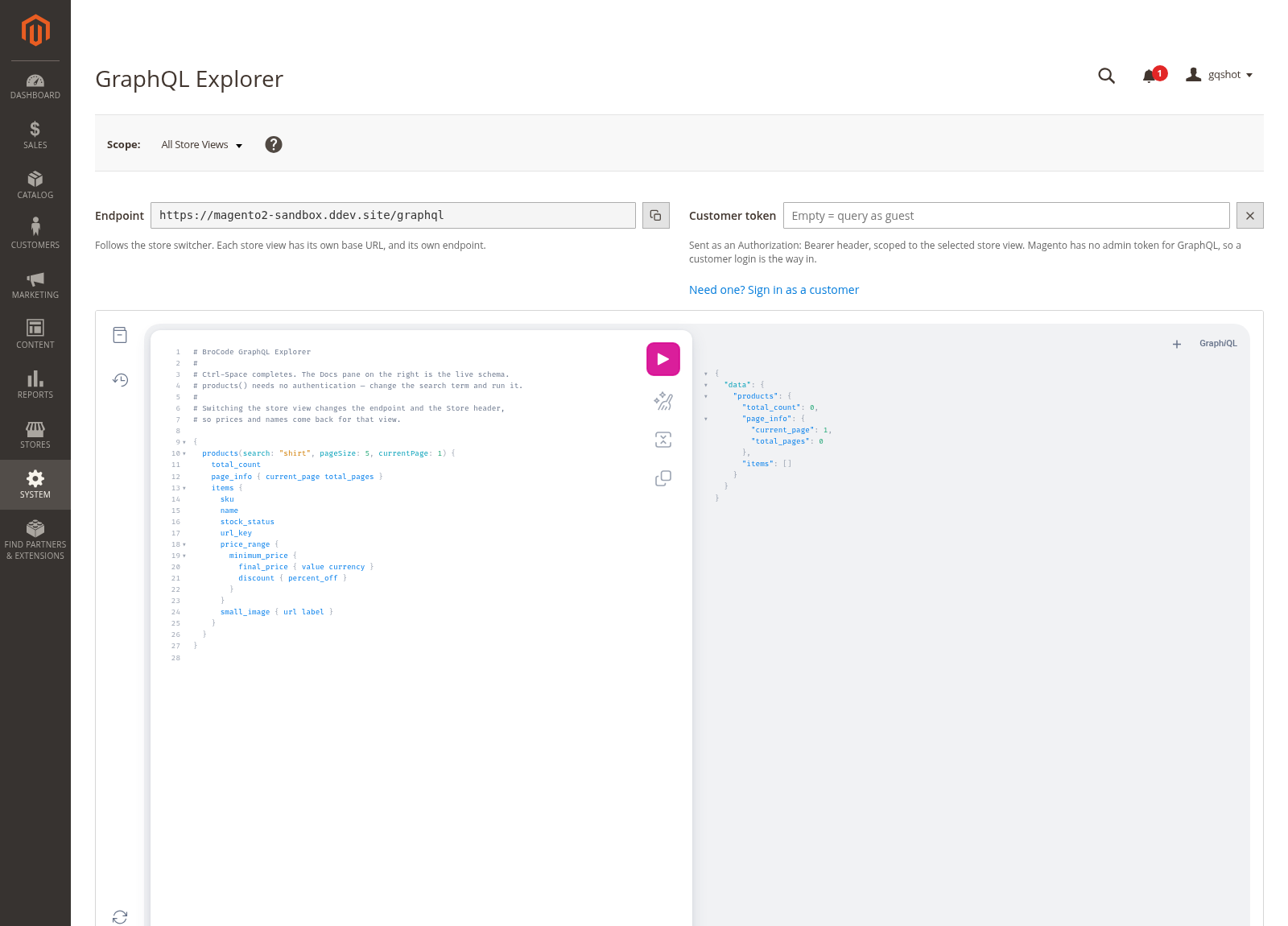
Easier with the schema in front of you — this is the GraphQL Explorer module, but any client works. The check is the query count, not the tool.
# 1. Baseline: count queries for one representative request.
ddev exec php bin/magento dev:query-log:enable
# issue the GraphQL query, then:
ddev exec bash -c "wc -l var/debug/db.log"
ddev exec php bin/magento dev:query-log:disable
Run it twice — once with pageSize: 1, once with pageSize: 30. Then read the difference:
- Query count roughly flat between the two: the resolver is batched. This is the pass condition.
- Query count scaling with
pageSize: it is not batched, regardless of what interface it implements. ABatchResolverInterfacethat loops over$requestscallinggetById()is a naive resolver wearing a costume, and this is the most common way the fix gets applied incorrectly.
If the resolver under test is customer-scoped, those fields need a customer bearer token — Magento has no admin-token path for GraphQL. Mint one with generateCustomerToken.
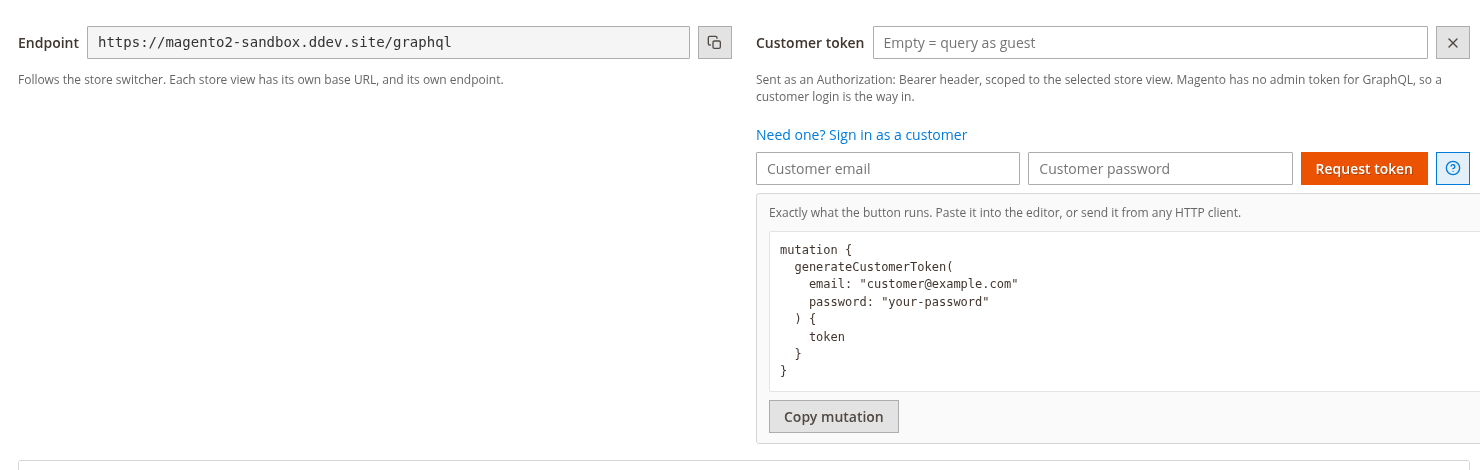
A guest query and the same query with a token can hit different resolvers — verify the one your users trigger.
Then confirm caching:
# Repeat the same query twice and compare timings; the second should be
# materially faster if identities are wired and the query is cacheable.
curl -s -o /dev/null -w '%{time_total}\n' -X POST https://your-store.example/graphql \
  -H 'Content-Type: application/json' \
  --data '{"query":"{ products(pageSize:30){ items { sku custom_stock_note } } }"}'
Pass criteria: query count independent of page size; a cache hit on the second identical request; every resolver that returns entity-derived data implements IdentityInterface; depth and complexity limits set from observed traffic rather than left at defaults; introspection off in production. And one habit worth building — profile GraphQL with the same seriousness as a category page, because it is the same database underneath and the client asking is no longer someone you can reason with.
Related reading
- Magento 2 GraphQL Explorer Module — GraphiQL in the admin, with the store switcher wired to the
Storeheader. The fastest way to run everything in this article. - Magento 2 REST API Gaps — What’s Missing and How to Fill It — the other API surface, and where it stops.
- Magento 2 searchCriteria: Complete REST Reference — the predictable contract GraphQL trades away.
- Magento REST API Content Negotiation: XML, Bulk, and YAML — what REST does that GraphQL has no answer for.
- Magento 2 Module Architecture: Monolith to Modules — where a resolver’s real logic belongs, and why
Vendor_FooGraphQlis its own package. - Magento Root Cause Analysis: Five Whys That Stick — resolver N+1 is one of its four recurring Magento failure shapes.
- Magento TTFB: Varnish, Redis and the Backend Cost — PHP-FPM pool exhaustion, from the infrastructure side.
Sources & References
- Adobe Commerce: GraphQL developer guide — schema,
@resolver, and the request lifecycle. - Adobe Commerce: resolver patterns — the batch-versus-single decision, from the source.
Magento\Framework\GraphQl\Query\ResolverInterfaceand…\Resolver\BatchResolverInterface— both@api; read them invendor/, they are a page each.Magento\Framework\GraphQl\Query\Resolver\IdentityInterface— the cache-tag contract in the identities section.Magento\Framework\GraphQl\Query\BatchResolverWrapper— the accumulate/defer/flush mechanism, about 140 lines and worth reading once.- GraphQL specification: validation — the depth and complexity rules the limits implement.
Disclaimer
Query counts vary enormously with catalog structure, attribute set size and which modules are enabled — the numbers here indicate shape, not a benchmark for your store. Measure with dev:query-log on your own data before and after any change. Configuration paths were verified on Magento 2.4.8; check them against your version before pasting.